Write down what you are aiming at, cut it into phases, cut the phases into steps small enough to do. Northstar then asks you for one of them a day, and keeps the whole thing on your phone — no account, no cloud, nothing sent anywhere.
iPhone · free · no account, no ads, works in airplane mode
Read every day2 of 4 steps
Phase 1 · Make it easy to start
✓Put the book where I sit down
✓Pick the first chapter
Phase 2 · Hold it for a week
✓Read ten pagestoday
✓Log it before bed
0accounts
0network requests
0permission prompts
36interface languages
The three screens you will live in
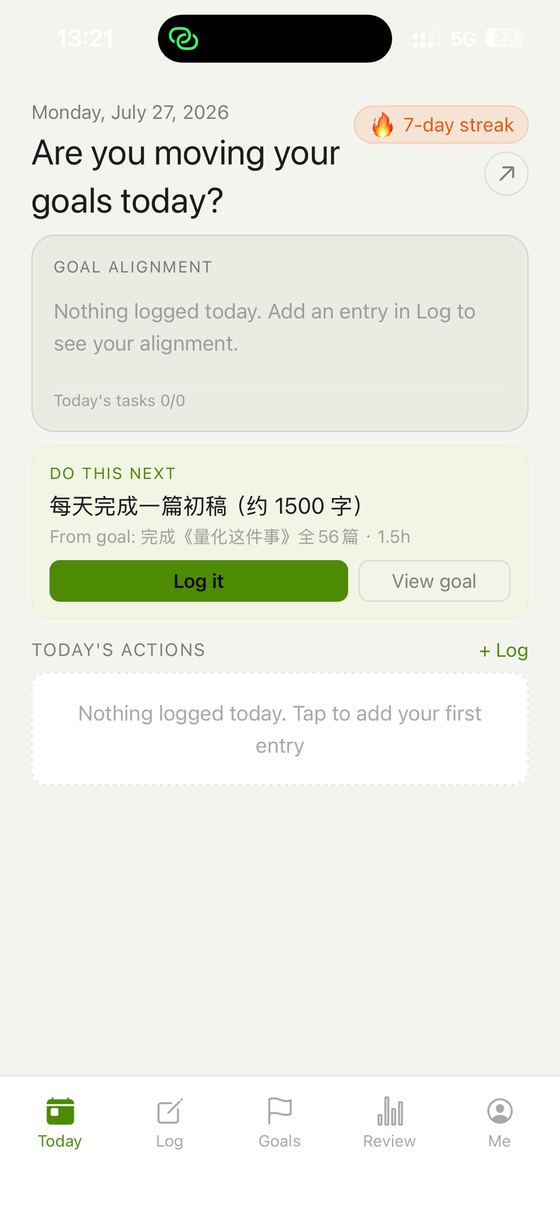
Today hands you one step, not a list.
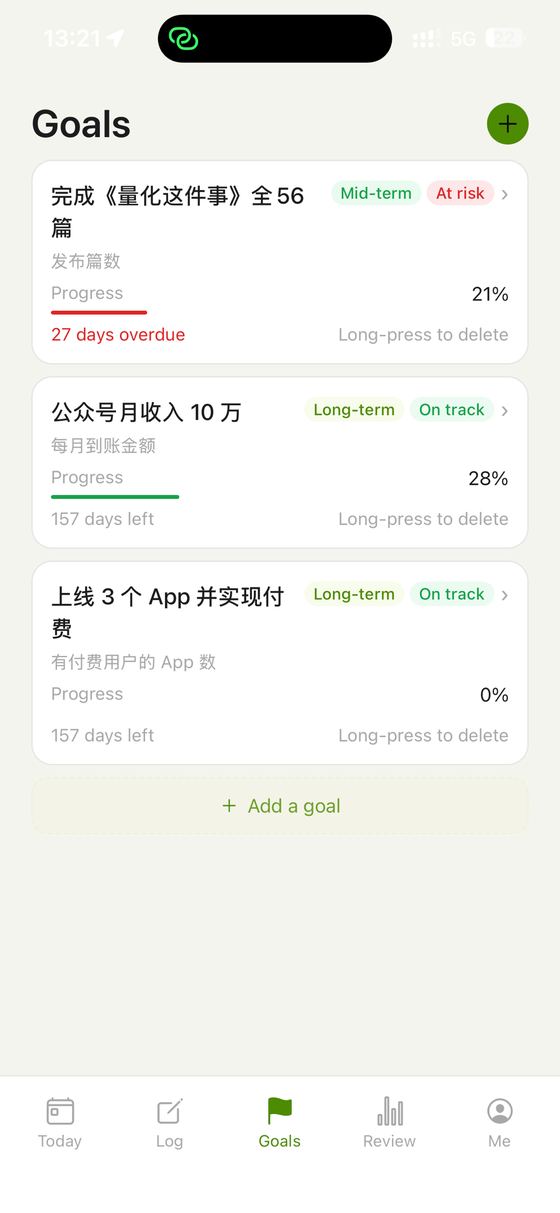
Goals, each with a health reading and days left.
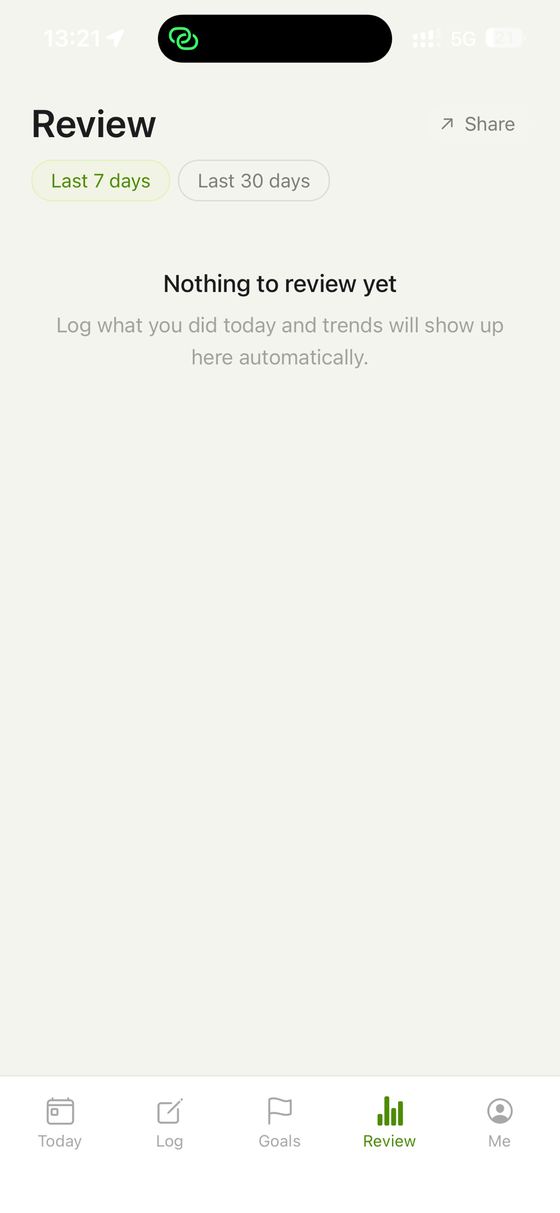
Review says so when there is nothing to review.
What you actually get
Goals, phases, steps — in that order
A goal in Northstar is not a single line with a percentage next to it. It holds phases, and each phase holds steps, and the steps are the only things you ever tick. You write all three yourself; nothing is generated for you and nothing is suggested. The structure exists because "learn German" cannot be done on a Tuesday and "do one Anki session" can, and the gap between those two sentences is where most goals quietly die.
One next action, not a list
The Today screen does not open with everything you could be doing. It finds the first unfinished step you flagged for today, or failing that the first unfinished step at all, and shows you that. A list of forty things is a way of deciding nothing; one named step is a decision already made. Everything else is still there under Goals when you want the whole picture.
Steps carry a rhythm and a size
When you write a step you can say whether it happens once, daily or weekly, and roughly how long you think it will take. The rhythm is what lets a step keep coming back without you re-typing it, and the estimate is what makes you notice, a week later, that the thing you called twenty minutes has never once been twenty minutes.
A log that knows what it was for
The Log tab is where the day actually goes down: what you did, how long it took, how confident you felt about it, and — the part that matters — which goal it belonged to, if any. Entries without a goal are allowed and normal. Life is not all strategy. But the app keeps track of the ratio, and that ratio is more honest than any productivity score.
A review that will not flatter you
Look back over seven days or thirty and you get four things: how much of what you planned you finished, how many days you logged anything at all, how the completion rate moved, and what share of your entries were tied to a goal. That last number is the uncomfortable one. It is also the only one that tells you whether your days and your goals are the same project.
Numbers computed from your rows, or no number at all
Every statistic on those screens is calculated from what you actually entered. When there is nothing to calculate from, the app says so and shows an empty state — it does not print a plausible-looking figure to fill the space. An app that shows you 34% on the day you install it has taught you, correctly, to ignore its numbers.
Goal health, from the calendar
A goal with a deadline gets a health reading — fine, watch it, or at risk — worked out from how many days are left against how far along you are. It is arithmetic, not judgement, and it is there so that the goal you have not opened in three weeks says something to you before the deadline does.
Yours to look at, in your colours
Five themes ship with the app: a near-black default, a warm paper white, and forest, ocean and amber. You can also change the icon on your home screen. Small things, but this is an app you are meant to open on ordinary mornings, and it should not feel like a spreadsheet from work.
Setting up a goal that survives contact with a Tuesday
The app does not decompose a goal for you — no AI writes your steps. What it does is refuse to let you stop at the ambition. This is the order that works.
Name the goal in a way you could be wrong aboutWrite what you are aiming at, and if it has a deadline, give it one. Vague goals feel safe because they cannot fail. Give it a date and a way of measuring it, and it becomes a thing you can be honestly behind on — which is the only state from which you can catch up.
Cut it into phasesTwo or three, not ten. A phase is a stretch of weeks with a recognisable end: get set up, hold it for a month, take it somewhere real. Phases exist so that the middle of a long goal has a shape, instead of being an undifferentiated flat plain between now and the deadline.
Cut the current phase into stepsOnly the phase you are in. A step should be small enough that you know exactly what doing it looks like and roughly how long it takes. If you cannot picture yourself starting it, it is still a phase in disguise and needs cutting again.
Give the recurring ones a rhythmMark a step daily or weekly and it stops being a one-off you have to remember to re-add. Mark one as today and it becomes the thing the Today screen hands you. Most of a working goal is two or three recurring steps and a short queue of one-offs.
Log the day, then leave it aloneWrite down what you did, link it to a goal if it belonged to one, and close the app. That is the whole daily loop, and it should take under a minute. The review screens only become interesting after a week or two of this, so there is nothing to check on day one.
One deliberate omission: Northstar will not remind you. There are no notifications in this version at all — not a daily nudge, not a deadline warning. If you want a reminder, an alarm on your phone at a fixed time is a better one than an app badge, because you chose the time.
What leaves your phone
Nothing. There is no account and no sign-in screen. Your goals, phases, steps, log entries and settings live in a database file on the device, and the app makes no network requests at all.
There is no analytics SDK, no crash reporter, no advertising SDK and no attribution framework in the app. Nothing counts your taps and nothing reports which screens you opened, because there is nowhere for such a report to go.
The app asks for no permissions. Installing it produces no prompts — not location, not notifications, not contacts, not tracking. The only thing it can open is your browser or your mail app, and only when you tap a legal link or the support address yourself.
You can delete everything from inside the app in one step, on the profile screen, behind two confirmations. It clears every table and every stored preference. There is no cloud copy to chase afterwards, because there was never a cloud copy.
The trade is real and worth stating: nothing syncs to a second device, and there is no server-side backup. If you lose the phone without a device backup, the data is gone.
Price
Free. This version has no in-app purchases, no subscription and no advertising of any kind.
There is nothing withheld behind a paywall either — no locked goal count, no premium statistics, no trial that expires into a nag screen. What is in the app is the app.
No, and you cannot. There is no sign-in screen in this version. The app opens straight into your own data on first launch.
Does it sync between my phone and my iPad?
No. Everything is stored on the one device, with no sync and no server-side backup. That is the direct cost of there being no account.
Will it remind me to do my steps?
No. This version sends no notifications at all. Northstar is something you open, not something that interrupts you — if you want a daily prompt, set an alarm at a time you chose.
Can I use it without any goals, just as a log?
Yes. Log entries do not have to be linked to a goal. The review screen will show you a low goal-linkage share, which is information rather than a reprimand.
What happens if I miss a few days?
Your streak count resets and nothing else does. Steps are not deleted, progress is not rolled back, and nothing is locked. A gap in the log is just a gap in the log.
Is there any demo data when I start?
Only if you ask for it. There is a button that inserts one example goal with phases and steps so you can see the shape of things; it is never inserted on its own, and it starts at zero progress like anything else.